
Expenses
Expense Overview
Understand property-level expenses, one-time costs, recurring schedules, expense views, and reporting impact.
Overview
Expenses represent costs associated with operating and maintaining a property. Unlike payments, which are tied to rentals and renters, expenses are tracked at the property level.
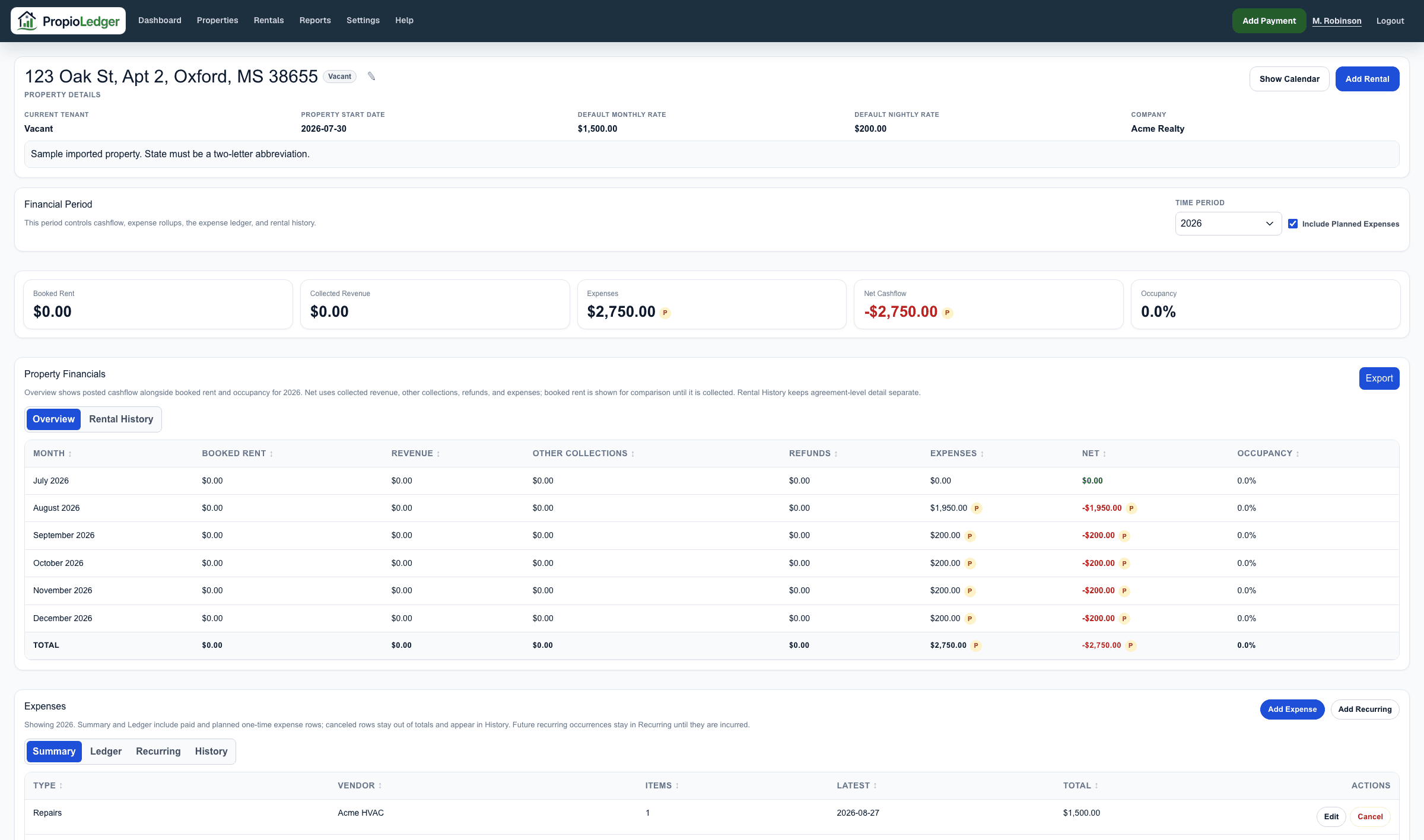
Expenses can be Paid, Planned, or Canceled. Paid expenses are actual incurred costs. Planned expenses are expected future costs. Canceled expenses preserve history but stay out of totals.
Included expenses contribute to property financials, cashflow reporting, dashboard metrics, and accounting reports. They reduce Net Cashflow. Most expense categories also reduce Net Operating Income, but Mortgage Principal is visible as a non-operating principal reduction and does not reduce an individual renter balance.
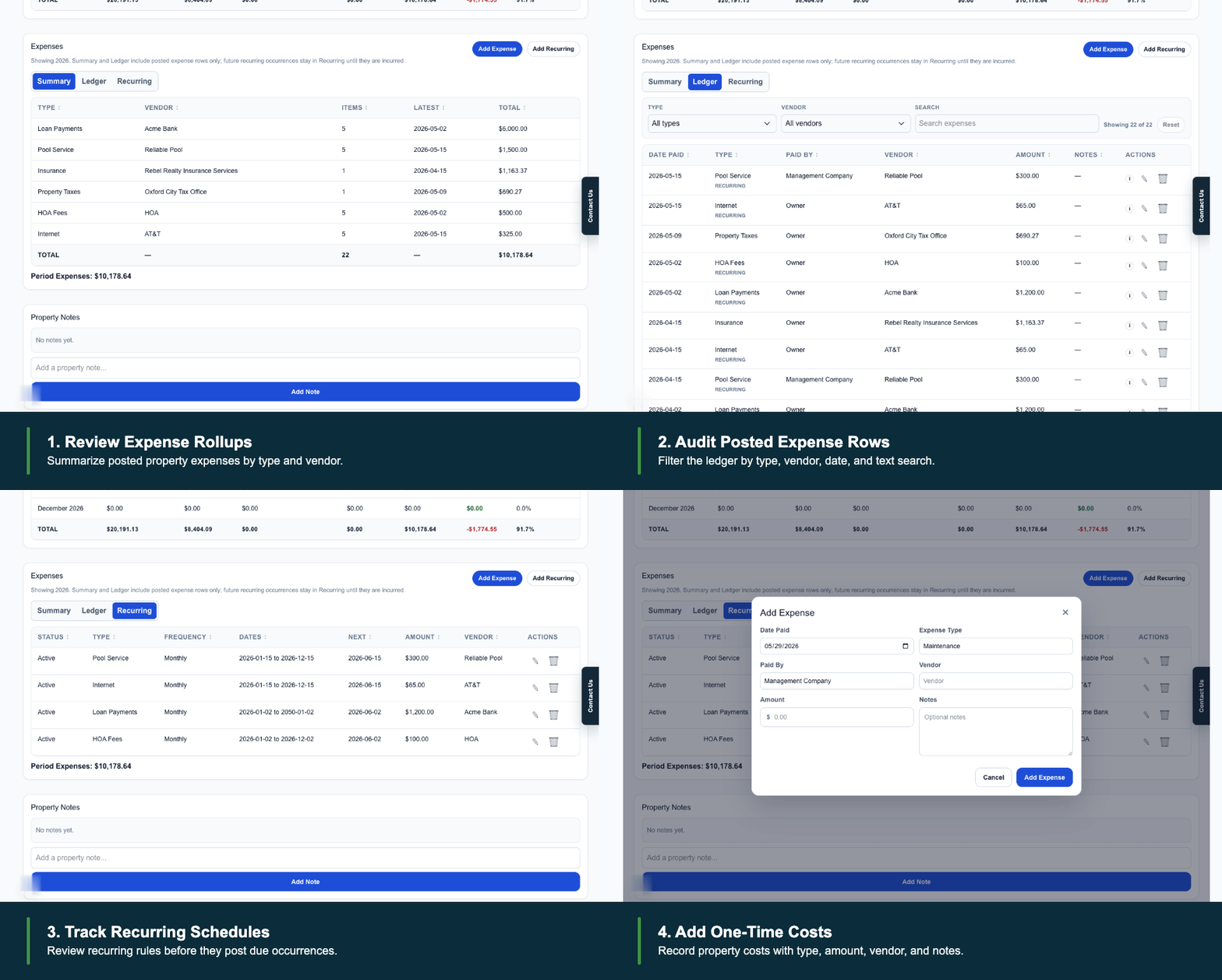
Common Expense Examples
- Property Taxes
- Insurance
- Utilities
- HOA Fees
- Repairs
- Maintenance
- Yard Service
- Cleaning Service
One-Time Versus Recurring Expenses
One-time expenses are posted costs that occur once, such as a repair, property tax payment, appliance replacement, or cleaning bill.
Recurring expenses are schedule rules for costs that repeat, such as insurance, HOA fees, internet, yard service, pool service, or loan payments. Due occurrences from recurring schedules become property expense rows when they are incurred.
Expense Information
Expense records may include date, status, expense type, paid by, amount, vendor, notes, and recurring-series context when the row came from a recurring schedule.
Expense rows are property-level accounting records. They are not rental charges and do not increase or decrease renter balances.
Expense Statuses
Paid means the cost has been incurred and should count as an actual property expense.
Planned means the cost is expected but has not been paid or completed yet. Planned expenses use a small P marker in tables and metric cards so users can tell the amount is not ordinary posted activity.
Canceled means the expense will not happen or should no longer affect financial totals. Canceled expenses are kept in the property expense History tab for review, but they are excluded from cashflow, dashboard, and report totals.
Where Expenses Appear
Expenses can be reviewed from the property page Summary, Ledger, Recurring, and History tabs. They also appear in property financials, property cashflow, dashboard metrics, Cashflow Reports, and Accounting Reports.
A P marker means planned expenses exist for that metric, month, or property. Where an Include Planned Expenses checkbox is available, users can choose whether planned costs are included in the displayed totals.
Last Updated
August 2026