
Expenses
One-Time Expenses
Create and review one-time property costs, including paid, planned, and canceled expenses.
Overview
One-time expenses are property costs that occur once. They can be entered as Paid when the cost has happened or Planned when the cost is expected in the future.
Use one-time expenses for costs like property tax payments, appliance replacement, plumbing repair, roof repair, one-off cleaning, utilities, or other bills and planned repairs.
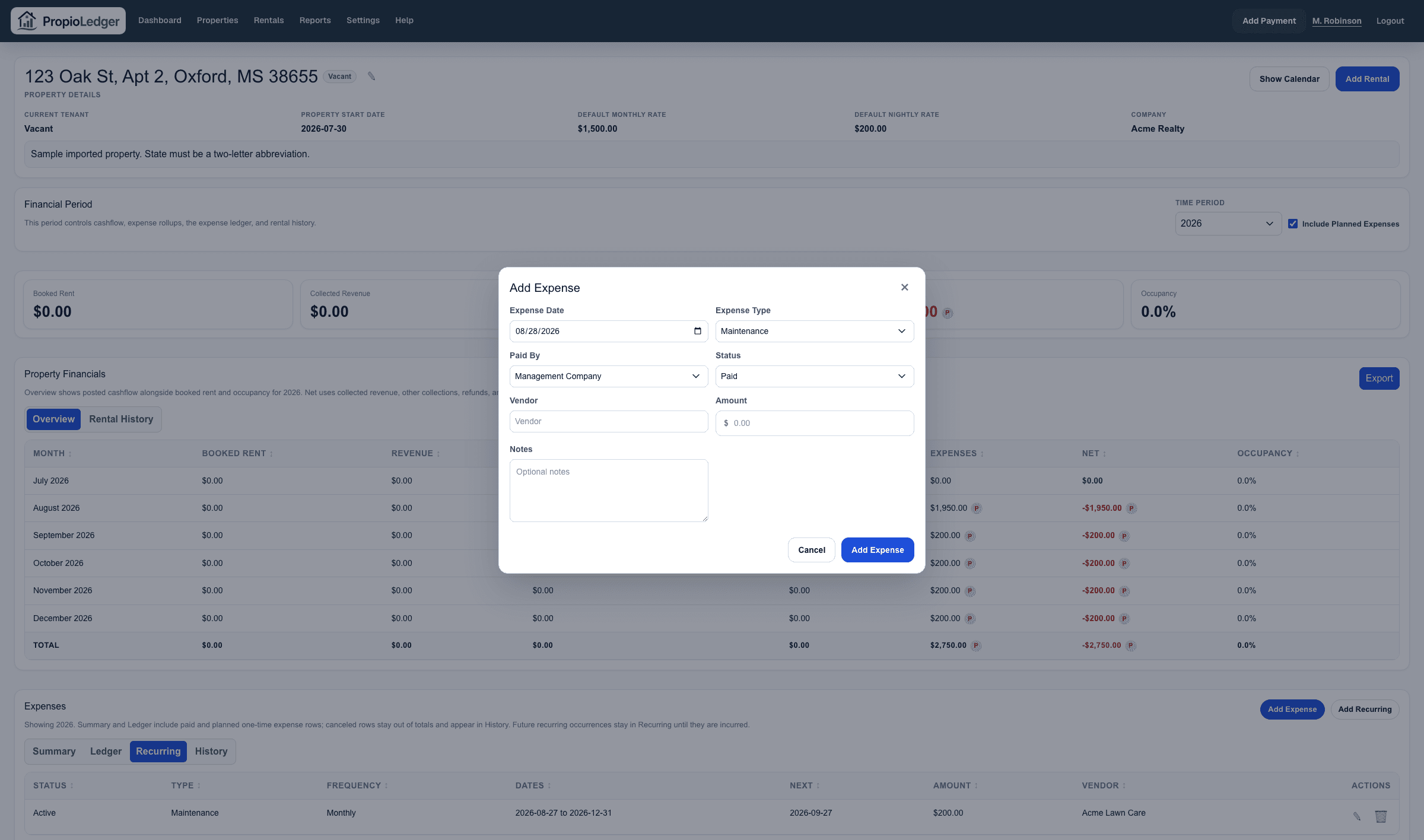
Expense Fields
- Date paid or planned date
- Status: Paid, Planned, or Canceled
- Expense type
- Paid by: Management Company, Tenant, or Owner. Management Company means the portfolio/company account in PropioLedger.
- Amount
- Vendor
- Notes
How One-Time Expenses Report
Paid one-time expenses appear in the property expense Summary and Ledger for the selected financial period. They also flow into property cashflow, dashboard expenses, Cashflow Reports, and Accounting Reports.
Planned one-time expenses can be included in supported property and report totals when Include Planned Expenses is turned on. They are marked with a P indicator so users can distinguish planned costs from paid costs.
Canceled one-time expenses are excluded from totals and reports, but remain visible in the property expense History tab unless they are deleted.
One-time expenses do not intentionally overwrite or delete existing property expenses. New one-time expense rows append to the property expense ledger.
Future-Dated Expenses
When a new one-time expense is dated in the future, PropioLedger defaults it to Planned. When the date is today or in the past, it defaults to Paid.
After planned work happens, edit the expense and mark it Paid. If the planned work will not happen, cancel it so the record stays in History without affecting totals.
Expense Ledger
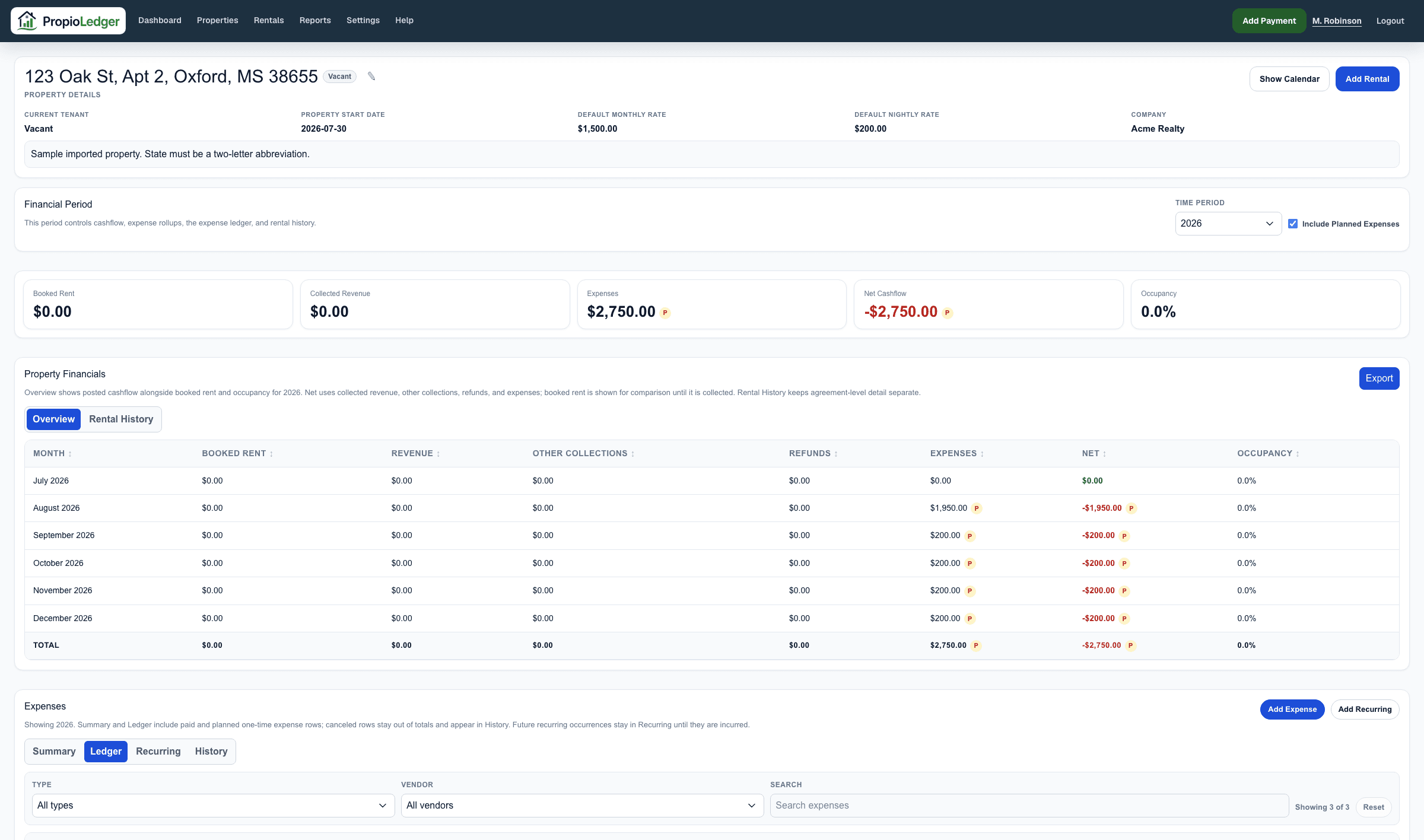
Use the Ledger tab when you need row-level detail. It shows paid and planned expense line items for the selected period and supports filtering by type, vendor, and text search.
Things To Watch For
- Do not record a property expense as a rental charge unless the renter actually owes it through the Rental Ledger.
- Do not import the same historical cost as both a one-time expense and a recurring expense occurrence unless you intentionally want duplicate expense activity.
- If an expense is part of a recurring schedule, manage the schedule from Recurring Expenses instead of repeatedly entering future one-time rows.
- Use Cancel when a planned cost will not happen and you want to keep a historical record. Use Delete only when the row should be permanently removed.
Last Updated
August 2026