
Expenses
Recurring Expenses
Create repeating property expense schedules and understand how due occurrences become property expense rows.
Overview
Recurring expenses are schedule rules for property costs that repeat. They are stored as recurring series rules, while due occurrences are materialized into paid or planned property expense rows based on date.
Summary and Ledger show paid and planned expense rows that exist for the selected period. Future scheduled occurrences remain in the Recurring tab until they become due, though forecast-style views can surface them as planned expense context.
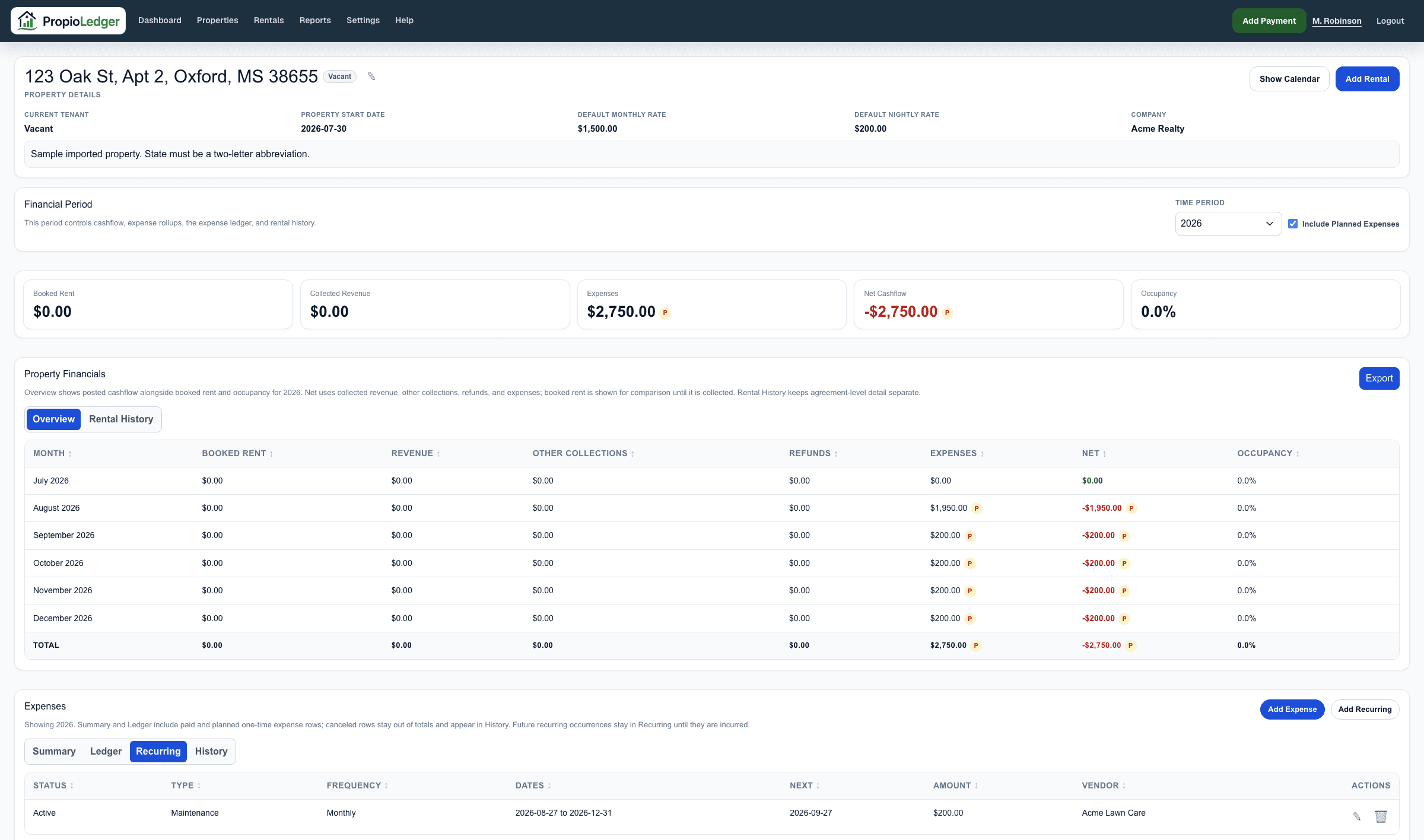
Recurring Expense Fields
- Start date
- Optional end date
- Frequency: weekly, monthly, quarterly, or yearly
- Expense type
- Paid by
- Amount
- Vendor
- Notes
How Due Occurrences Work
Creating or editing a recurring series materializes due occurrences into property expenses. Loading the property page as a company admin can also materialize missing due occurrences through today.
Future occurrences remain scheduled and are not posted until they become due. This keeps future planned costs separate from posted accounting activity.
Stopping Or Deleting A Series
A recurring expense can be stopped from a selected occurrence forward, preserving earlier historical occurrences. It can also be deleted with all generated occurrences when the series was created by mistake.
When canceling or deleting from a generated occurrence, choose whether the action applies to that occurrence only, that occurrence and future occurrences, or the entire series where that option is available.
If the regular billing amount changes, edit the generated occurrence and choose This and future occurrences. PropioLedger keeps earlier history unchanged and starts a new recurring series from the effective date.
Editing Generated Occurrences
Editing a generated expense row can apply to This occurrence only, This and future occurrences, or the Entire series.
This occurrence only marks that single row as an override. Use it for one-off changes, such as a single higher utility bill or a vendor adjustment.
This and future occurrences splits the recurring schedule at the selected occurrence. Earlier posted history stays tied to the old series, and future posted or scheduled occurrences follow the updated values.
Entire series applies the saved values to the full recurring schedule.
Recurring Expense Imports
Recurring expense imports create recurring schedule rules. Due occurrences from the schedule start date through today are materialized into property expenses during import.
Future occurrences remain scheduled. Users should not import the same historical cost as both a one-time expense and a recurring expense occurrence unless duplicate activity is intentional.
Last Updated
August 2026