
Getting Started
Importing Your Existing Data
Use this when you already have properties, rentals, payments, or expenses in spreadsheets.
When To Use Imports
Use imports when you are setting up an existing portfolio or moving records from spreadsheets into PropioLedger.
Imports are especially helpful when you already know your property list, current rentals, payment history, outstanding balances, property expenses, or recurring costs.
The Import Order Matters
Imports should follow the same structure as the app. Properties come first because rentals, payments, expenses, and recurring expenses all need to connect back to a property.
- Properties
- Rentals
- Payments
- One-time expenses
- Recurring expenses
Use The Generated Templates
After properties are imported, download the next templates from the Import Center. Generated templates include system IDs and readable context so PropioLedger can match each row to the correct company, property, or rental.
Do not edit generated ID columns. Use the blank entry columns for the information you want to import.
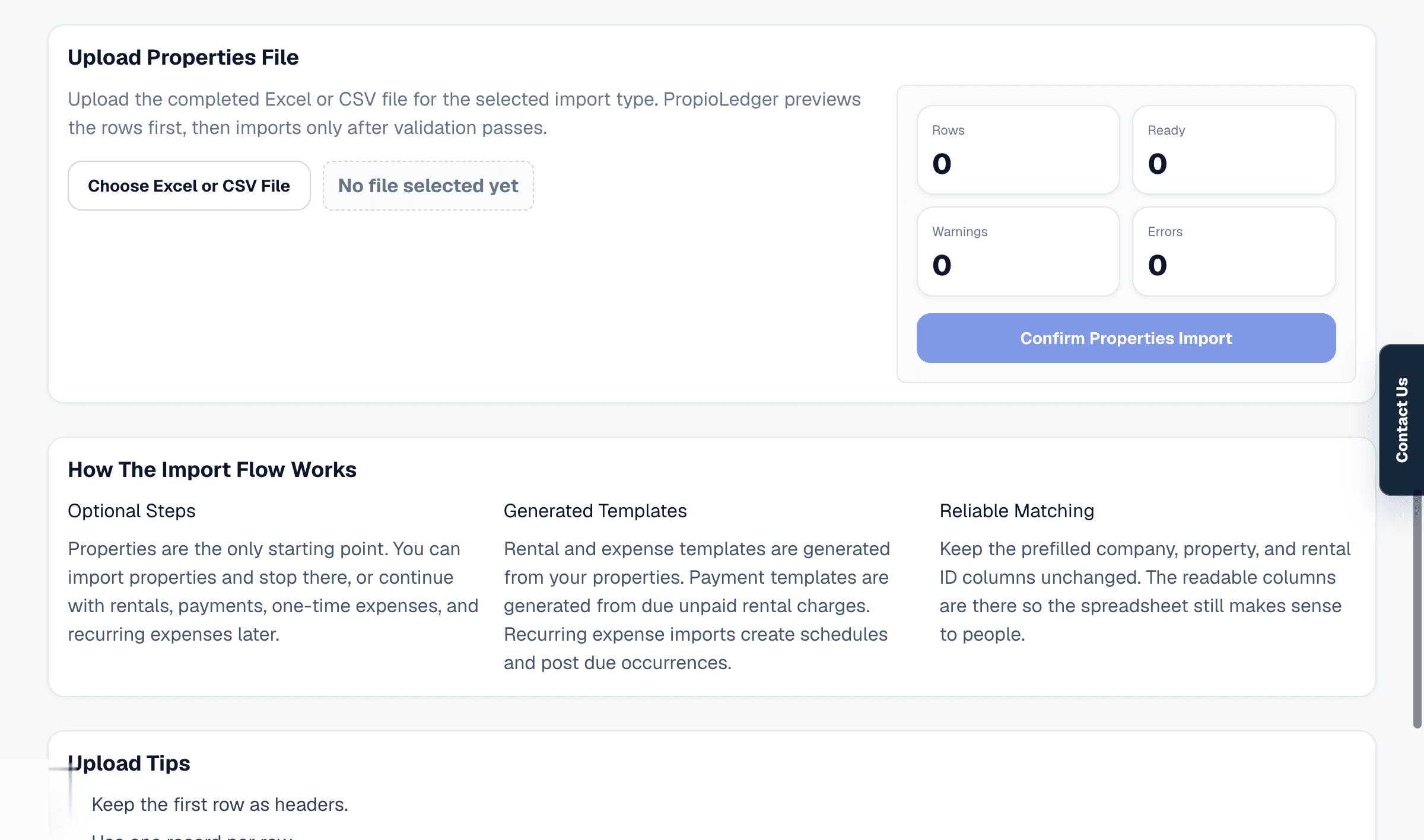
Check The Preview Before Confirming
Each upload shows a preview with row counts, ready rows, warnings, and errors. Warnings should be reviewed before import, and errors must be fixed before the import can be confirmed.
This preview step is where duplicate addresses, missing required fields, invalid dates, invalid payment types, or mismatched IDs can be caught before records are created.
After The Import
After importing, review the Dashboard and balance reports before relying on the numbers operationally. Imported rentals may show open balances until payments are imported or opening balances are used.
For existing active rentals, use opening balances carefully so the ledger reflects what is still owed as of onboarding.
Related Guides
Last Updated
May 2026