
Rentals
Rental Overview
Understand how rentals connect properties, renters, charges, payments, balances, invoice emails, occupancy, and reporting.
Overview
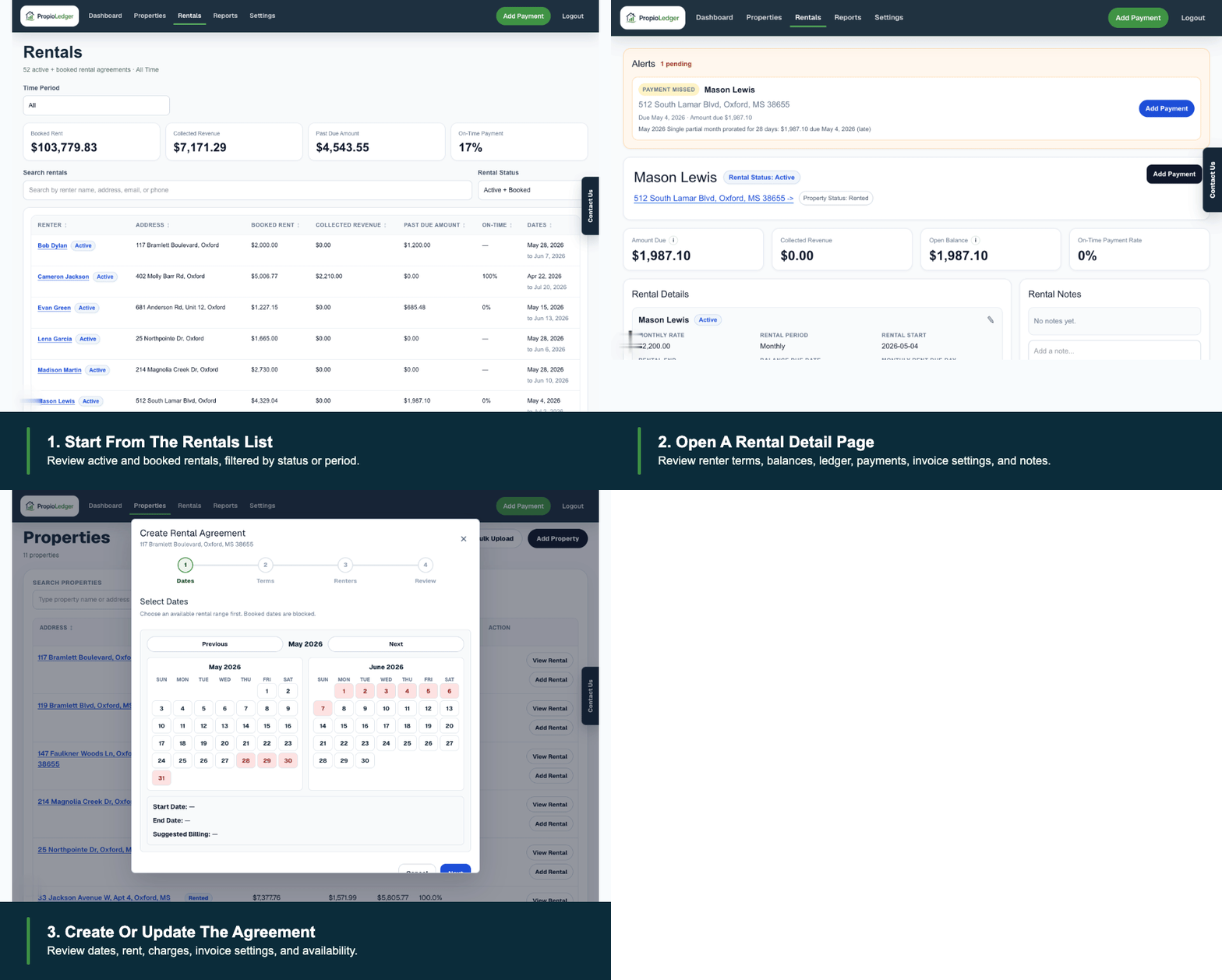
Rentals are the core operating record in PropioLedger. A rental connects a property, renter, rental dates, charges, payments, balances, invoice email settings, occupancy tracking, and reporting into one record.
Use this guide when you want the big-picture model before working with the more detailed rental guides.
What A Rental Includes
A rental represents an agreement for one property during a specific period of time. It stores the rental dates, rental type, renters, rates, charges, payments, balances, invoice settings, and notes.
A property can have many rentals over time, but rental dates cannot overlap for the same property. Existing historical rentals keep their date ranges so availability remains accurate.
Monthly And Nightly Rentals
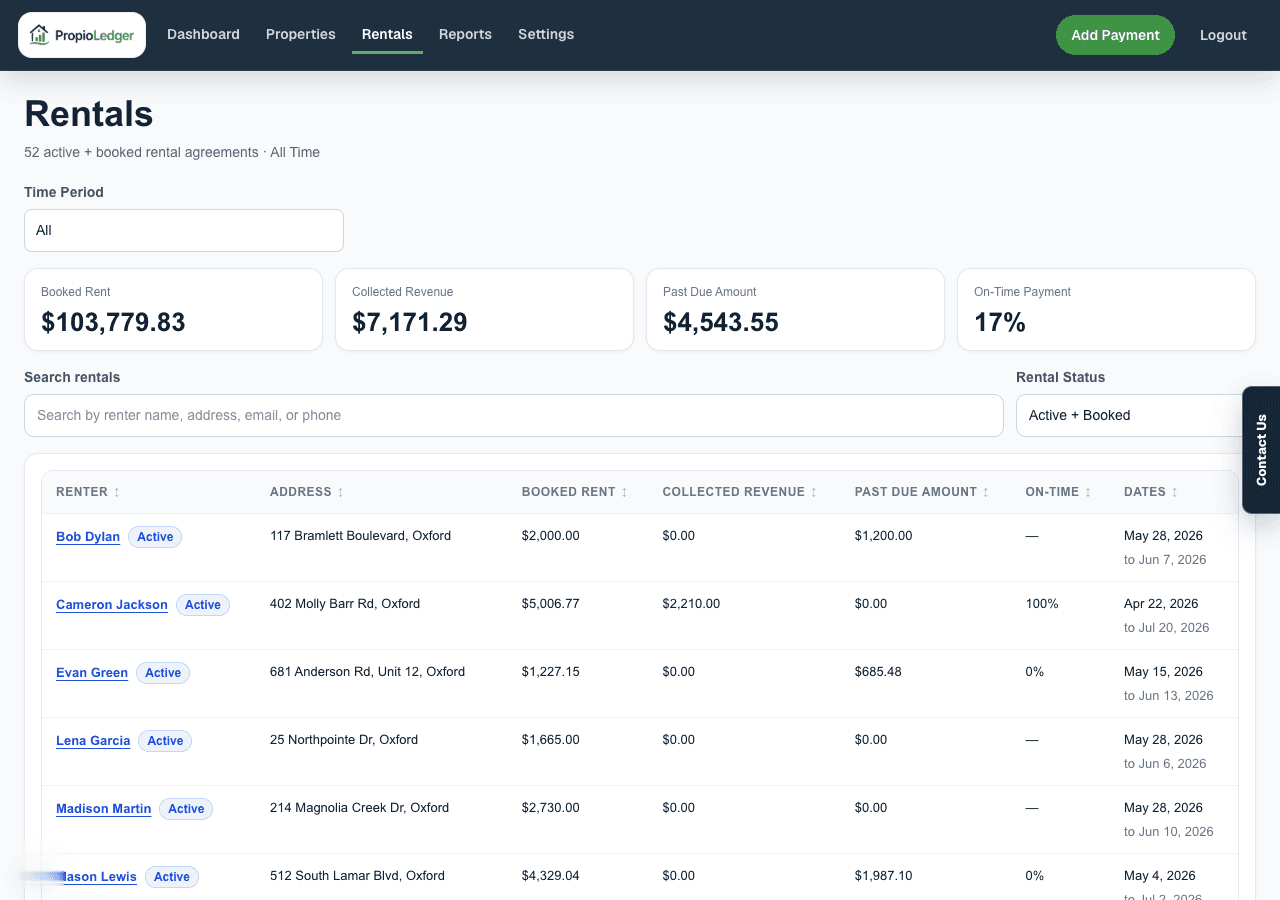
Monthly rentals are designed for standard lease-style agreements such as long-term tenants, annual leases, and month-to-month rentals. They generate rent charges according to the rental schedule and rent due day.
Nightly rentals are designed for short-term stays such as vacation rentals, weekend stays, or seasonal bookings. They calculate stay rent from the nightly rate and number of nights booked.
Rental Statuses
Every rental has a lifecycle status. Future rentals display as Booked until they start, current rentals display as Active, completed rentals display as Ended, and future rentals cancelled before they start display as Cancelled.
Status matters because it affects availability, occupancy, lifecycle actions, reports, and invoice behavior.
Renters And Contacts
Each rental must have at least one renter. Rentals support multiple renters, one primary renter, contact details, phone numbers, email addresses, mailing addresses, and notes.
The primary renter is typically the main billing and communication contact for the rental.
Charges, Payments, And Balances
Rentals can include rent, security deposits, pet deposits, cleaning charges, late fees, last month rent, and other charges. Charges create balances that can later be paid, waived, or refunded.
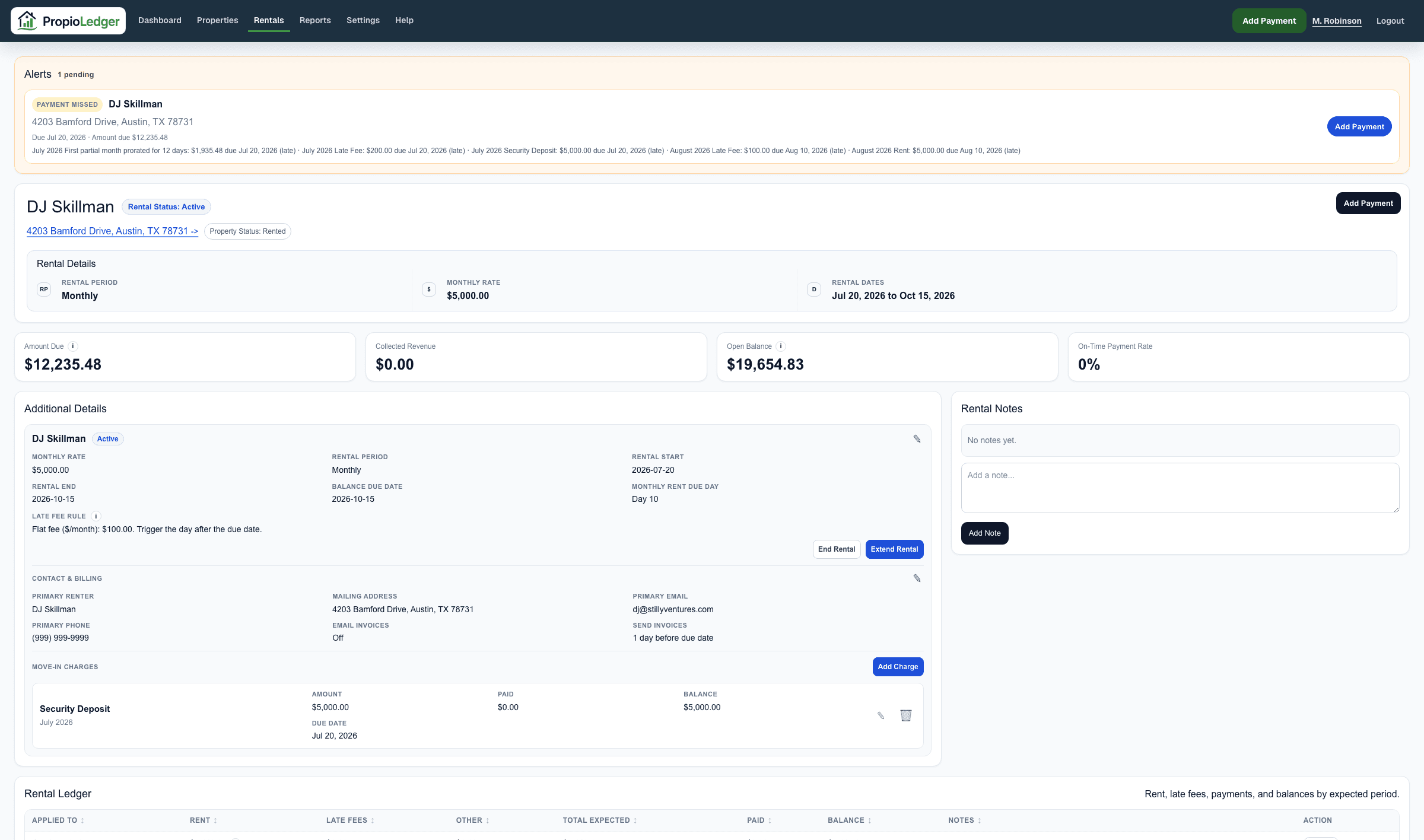
The Rental Ledger is the source of truth for the rental balance. It combines charges, payment allocations, waivers, refunds, due dates, open balance, and past due amount.
Invoice Emails
Rentals can send invoice emails for upcoming unpaid charges when invoice emails are enabled on the rental. Invoice emails can include monthly rent, nightly stay balances, deposits, cleaning charges, late fees, and other rental charges.
Invoice timing is controlled with invoice lead days, which define how many days before a due date the invoice can be sent.
Where Rentals Appear
Rentals affect the Dashboard, Properties, Rental detail pages, payment workflows, balance reports, performance reports, accounting reports, invoice emails, alerts, and occupancy calculations.
Changes to rental dates, rates, charges, payments, refunds, waivers, or status may change booked rent, collected revenue, open balance, past due amount, occupancy, and report totals.
Common Questions
- Can a property have multiple rentals?Yes. A property can have many rentals over time, but rental dates cannot overlap for the same property.
- Can a rental have multiple renters?Yes. One renter can be designated as the primary renter.
- Can I change rental information later?Yes, but some changes may affect balances, invoice emails, availability, occupancy, or reporting.
- Can I delete a rental?Delete rentals only for data-entry mistakes. Use End Rental or Cancel Rental for normal rental activity so history stays intact.
Related Guides
Last Updated
May 2026